

Reading on a phone can be surprisingly tiring when an app makes you fight the page instead of follow the book. I spent time with ReadEra – book reader pdf epub to see whether it feels comfortable across different reading situations, not just whether it opens common files. My overall impression is that it is a practical, focused reader for people who already have ebooks or documents on their device and want one place to open them without a complicated library service.
It belongs to the Books & Reference category and is developed by READERA LLC. The app is free, carries an Everyone age rating, and supports Android devices starting with Android 4.1. That combination makes it unusually approachable for people using older phones, although the experience naturally depends on the screen, battery, and performance of the device itself.
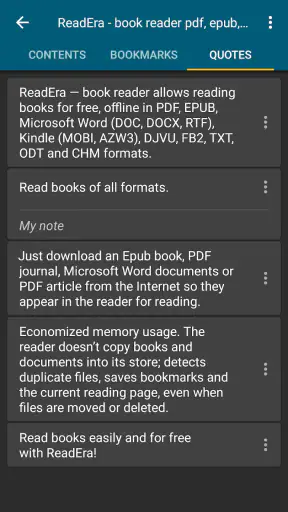
What I like most is the straightforward purpose. Instead of pushing me toward a store, subscription, or social reading system, it concentrates on opening and reading files such as PDF, EPUB, Word, Kindle, and MOBI documents. That makes it useful for downloaded novels, manuals, study material, work documents, and personal files gathered from different places.
How the reading experience handles different needs
Readability and navigation without unnecessary clutter
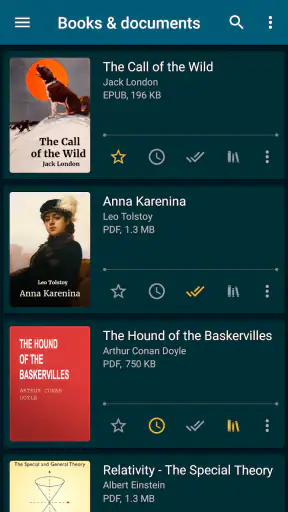
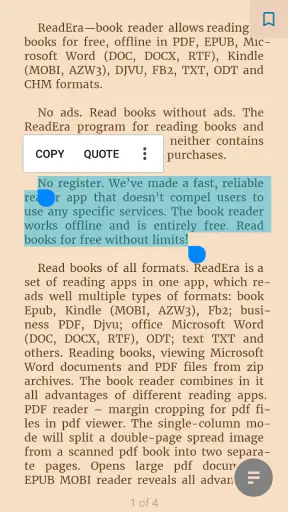
The first thing I noticed is that the app feels built around the page. When I opened several kinds of documents, the main task remained obvious: choose a book, open it, and continue reading. This matters for readers who find crowded dashboards, promotional shelves, or too many controls distracting. ReadEra’s appeal is less about decoration and more about reducing the distance between a file and its text.
EPUB is where a dedicated reader usually has the clearest advantage over a general file viewer. Reflowable text can adapt more naturally to a phone display, while a fixed PDF page behaves more like a printed sheet. I would not judge the app by expecting every PDF to become as flexible as an ebook. A badly formatted scan remains difficult to read, and a dense document may still require zooming and horizontal movement.
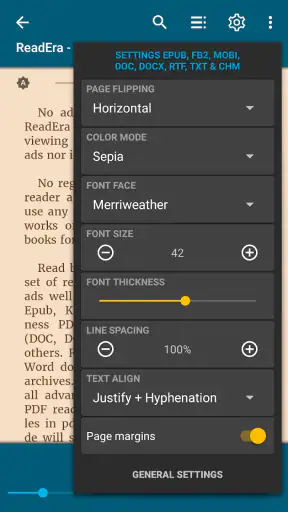
That distinction is important for anyone with reduced vision or anyone who simply reads on a small screen. For novels and other properly structured ebooks, adjusting the reading presentation is generally more comfortable than pinching around a fixed page. For forms, textbooks, scanned handouts, and illustrated manuals, the original page layout can be more important than text flexibility. In those cases, ReadEra is useful, but it cannot remove the limitations built into the document.
Navigation also changes depending on the file. A long novel is easy to approach as a continuous reading session, while a reference PDF is better treated as something to search, revisit, and jump through. I found it helpful to think of the app as two tools in one: a calm ebook reader for sequential reading and a document viewer for occasional consultation. Users who expect every format to offer identical navigation may find that difference confusing at first.
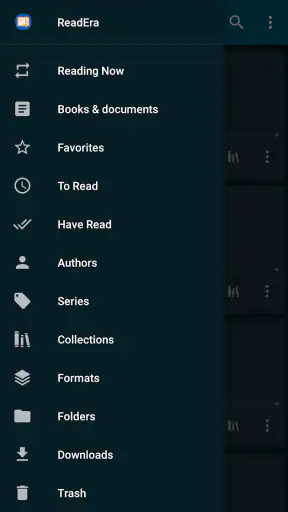
A small but valuable habit is to organize files before a large reading project. If I download several versions of the same document, duplicate titles can make the library harder to scan. Keeping a clean folder structure and using clear filenames makes the in-app collection more useful than relying on memory. This is not glamorous, but it saves time when the phone contains books, receipts, work files, and study documents together.
The app’s strong adoption suggests that this simple approach works for many people. It has a 4.8 average from around 1.6 million ratings, with over 50 million installs. Those figures do not tell me whether it will suit every reader, but they do place it among the more established choices for people wanting a general-purpose mobile reading app.
Motor and sensory considerations in everyday use
Reading on a touchscreen creates two separate challenges: seeing the content and physically controlling the device. A person with limited dexterity may struggle with repeated pinching, tiny buttons, or gestures that require precise timing. ReadEra is most comfortable when the document can be read in a stable layout without constant manipulation. That is another reason EPUB books can be a better fit than dense PDFs.
For someone who experiences hand fatigue, I would prepare the book before settling into a long session. Open it, move to the desired place, and make the text presentation comfortable while the phone is supported on a stand or held in the least tiring position. This reduces the need for repeated adjustments. It is a simple workflow, but it can make a bigger difference than changing apps every few minutes.
Readers with low vision should test a real sample of their own material rather than assuming that support for a format guarantees comfort. A clean, text-based ebook is a very different experience from a scanned PDF made of page images. In the second case, zooming may remain necessary, and enlarged pages can create extra navigation work. The app can open the document, but the source file still determines much of the reading burden.
For people sensitive to visual clutter, a dedicated reader is often easier to tolerate than an app that mixes reading with recommendations, comments, shopping, or social activity. ReadEra feels more private and task-focused in that sense. I can open a document and stay with it instead of being pulled toward unrelated content.
That focus can also help readers who have trouble maintaining attention. A short reading session on a phone is less intimidating when the app presents the current book rather than a busy stream of other activities. On the other hand, anyone who needs a very specific visual presentation, advanced annotation workflow, or highly specialized typography should compare it with a reader designed around that single requirement.
Text-to-speech and operating-system accessibility tools are areas where expectations should remain realistic. A reader can work alongside device-level accessibility features, but the result depends on the phone, operating system, document structure, and the way the file was created. I would not choose ReadEra solely on the assumption that every accessibility tool will behave identically across EPUB, PDF, Word, Kindle, and MOBI files.
Situational access: commuting, studying, and offline reading
One of the app’s best use cases is the ordinary commute. I can keep a novel or saved document on the phone and read when there is no convenient desk, laptop, or stable internet connection. The value is not limited to travel: waiting rooms, queues, flights, and short breaks all become easier to use when the material is already stored locally.
This is especially helpful for people whose access changes throughout the day. A reader may have a large monitor at home but only a phone during travel. A student may download course material on a computer and review it later on a smaller device. Someone working between locations may need to consult a Word document and then return to an ebook without carrying several separate apps.
I also see a practical benefit for older Android hardware. Because the minimum operating system is Android 4.1, the app can remain an option for users who cannot install newer reading software. That does not guarantee identical performance on every old phone, and large documents may still feel slower on weaker hardware. Still, broad device compatibility is meaningful for readers who are often excluded when apps raise their system requirements.
For study, I would use it as a reading and reference tool rather than a complete academic workspace. It is well suited to opening assigned chapters, reviewing a downloaded guide, or keeping several reference documents available. If your workflow depends on elaborate notes, citation management, collaborative comments, or deep integration with a school platform, a specialized study app may be a better companion.
The same trade-off appears in professional use. ReadEra can reduce the need to switch between separate viewers when a folder contains different document types. That is convenient for checking a report or reading a manual. But people who edit documents, fill complex forms, or need tracked changes should not treat a reader as a replacement for an office suite.
A useful everyday scenario is preparing a weekend trip. I might place a novel, a booking document, and a travel guide on the same phone. The novel benefits from a flowing reading layout, while the guide may require page-based viewing and occasional zooming. Having one familiar reader for both is convenient, but I would still keep important travel information available in another form if it must be accessed quickly, since a reading app is not a dedicated navigation or booking tool.
Where the usual alternatives may be better
Compared with a store-centered ebook app, ReadEra makes more sense when I already own or have downloaded the files. A store app is usually the better choice for purchasing books, managing a retailer’s catalog, or keeping tightly connected to that company’s ecosystem. ReadEra is more appealing when my library comes from several sources and I want a neutral place to read it.
Compared with a basic PDF viewer, it offers a more book-oriented experience for people who read EPUB, MOBI, Kindle, or Word files as well. A basic viewer may be perfectly adequate if PDF is all you use, especially for forms or work documents. Installing ReadEra becomes more worthwhile when your reading folder contains several formats and you prefer not to remember which app opens each one.
Compared with a cloud-first reading service, the advantage is control over local files and less dependence on a particular account-based library. The trade-off is that your reading life may not feel as seamless across every device unless you manage the files yourself. Someone who moves constantly between phone, tablet, and computer may prefer a service built around synchronized libraries and reading positions.
Compared with a highly specialized accessibility reader, ReadEra’s broad format support is its strength, not necessarily its defining accessibility feature. A specialist tool may offer more targeted controls for magnification, speech, contrast, input methods, or structured text. If one of those needs is central to your daily reading, I would test that specialist option first and use ReadEra as a flexible secondary reader if it fits your files.
Remaining barriers and practical compromises
The biggest limitation is that “supports many formats” does not mean “every file looks perfect.” PDFs can be fixed, scanned, multi-column, or full of tables. Word documents can contain unusual layouts. Kindle and MOBI files may behave differently depending on how they were created. I would always test the exact documents I need before moving an entire library into the app.
Small screens remain a physical constraint. Even a well-designed reader cannot make a wide technical page comfortable without some compromise. Readers with low vision may prefer a tablet, an external display, or a different document format for long sessions. People with motor difficulties may also find repeated zooming and page repositioning tiring, particularly with complex PDFs.
There can also be a learning curve when switching between a flowing ebook and a fixed document. The controls that feel natural for a novel are not always the best way to inspect a form or a diagram. I recommend spending a few minutes with each format before an important task, rather than discovering during a commute that a document requires more movement than expected.
Another consideration is library maintenance. A local-file reader is only as organized as the files it receives. Poor filenames, duplicate downloads, and folders copied from several devices can make finding a title harder. I get the best results when I rename important documents clearly and remove obsolete copies. This is a modest amount of housekeeping, but it is part of choosing a file-based reader over a fully managed bookstore.
The app is free, which lowers the risk of trying it with a few personal books and documents. Its current version is 26.05.20+2300, so users should keep the app updated through their normal app source when possible. I would still judge it on my own device, because an older phone, a large file, or a particular document layout can change the experience more than the app’s general reputation.
An inclusive verdict for real readers
After using it as a mixed-format reader, I see ReadEra as a strong choice for people who value simplicity, local files, and broad document support. It is particularly suitable for someone who reads novels on a phone, keeps PDFs for reference, and does not want separate apps for every file type. Its Everyone rating and support for older Android versions also make it approachable for a wide range of users.
Its inclusive value comes from flexibility rather than from promising that every reading barrier disappears. A person can choose a more suitable file format, prepare a document before reading, use a larger device when needed, and combine the app with the accessibility features already available on their phone. Those choices can make the experience work across different abilities and situations, but they require realistic expectations about scanned pages, small screens, and complex layouts.
I would recommend trying it first if your books and documents are already stored on your device and you want a calm reading space. I would hesitate if you mainly buy books inside one retailer’s ecosystem, need advanced document editing, or depend on highly specialized accessibility controls. In those cases, the usual store app, office suite, or dedicated accessibility reader may serve you better.
For everyone else, this is an easy app to keep installed because it solves a common problem without demanding much attention. I can open a book, switch to a reference document, and return to reading without treating the phone like a miniature office. My recommendation is to start with one EPUB and one PDF from your real daily routine; that quick test will show whether its balance of readability, format coverage, and touch navigation matches your needs better than any generic feature list.


